

Step-by-step Free wedge — from first launch to housing QR and backup. Screenshots: iPhone 16 Simulator. Product page · Polski
1. First run
Cold launch shows a short tab tour (≤3 value pages), then the first-device wizard — or Skip. There are no install templates; you add SKUs and stages yourself.
- Finish or skip the tour.
- Create a device (housing form factor) or skip and use Catalog first.
- Five tabs: Today · Devices · Stock · Shop · Catalog. Settings is the gear sheet (not a sixth tab).
Use case — new install: Skip the wizard, add sediment 10″ slim SKU in Catalog, then add “Kitchen filter” with one stage dated ~8 months ago so Today shows overdue immediately.
2. Catalog
Catalog is identity and specs. Stock and Catalog both open the same SKU detail (preview + Edit SKU).
- Form factor (slim ≠ big blue) and micron where relevant
- Min stock and lead time (rural default often 14 days)
- Optional buy-again URL (e.g. Allegro)
3. Devices & stages
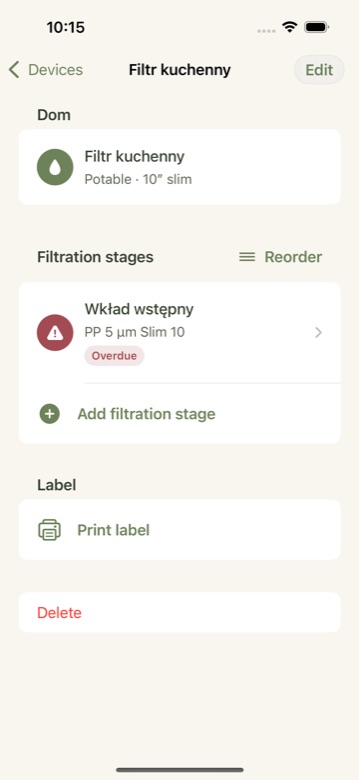
A device is a housing line (kitchen RO, well head, irrigation prefilter). Stages are ordered: sediment → carbon → UV / RO / disc.
- Assign a SKU, installed date, and replace/clean policy
- Clean vs replace: discs, quartz sleeves, and some mesh use clean events without burning stock
- Mark
protectsDownstreamon prefilters that guard an RO membrane — Today can show a protect reason - Reorder stages with the branded reorder control; Done is a text pill
Use case — well + UV: Stages: sediment, carbon, UV lamp + quartz. Spare lamp lot in Stock. After servicing quartz, log a clean event (not a replace) so history stays honest.
Use case — RO chain: Prefilter stage with protect-downstream enabled; RO membrane stage with its own policy. When the prefilter is overdue, Today explains membrane risk.
4. Stock & FIFO
Stock is risk + lots. Add purchases as lots with quantity and date. Oldest lot is preferred on replace.
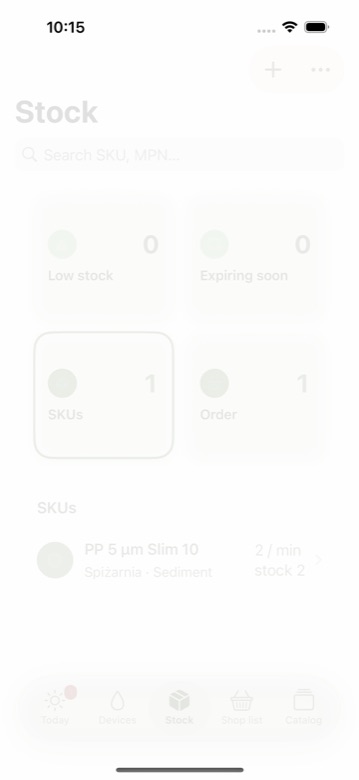
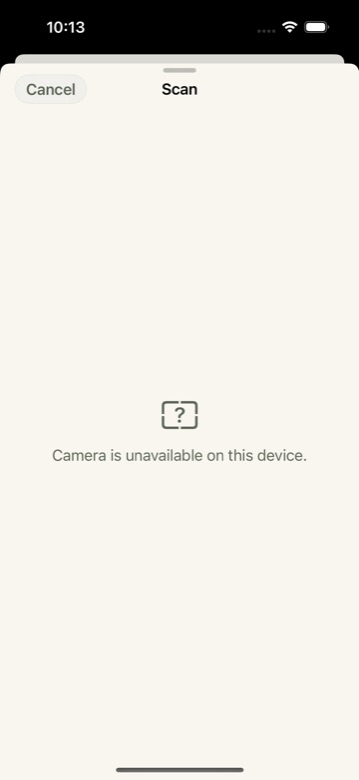
Optional shelf photo (camera or library) survives JSON export/import.
5. Today
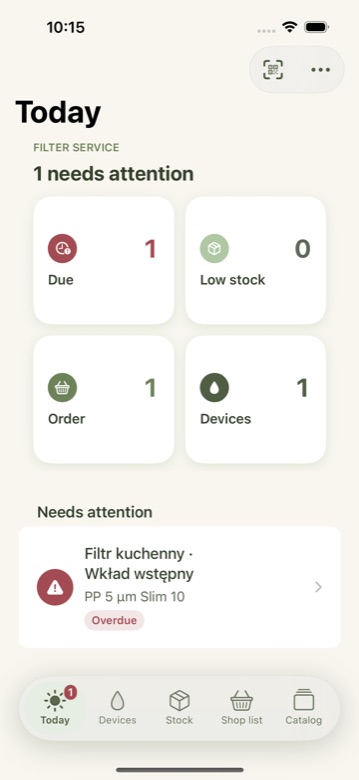
Today is the service work queue (“needs attention”), not a full shop dump. Summary tiles: Due / Low stock / Order — tap through to the right tab.
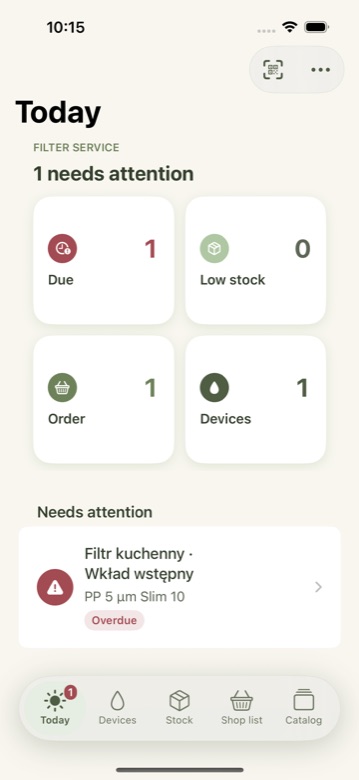
Scan is available from Today and Devices toolbars for housing labels.
6. Replace wizard
- Open the stage → Replace.
- Wizard picks the oldest FIFO lot (you can override with a soft warn).
- Confirm once — no duplicate dialogs.
Use case — two lots: Buy qty 2 on different dates. Replace should consume the older lot first so shelf life stays sane.
7. Shop list
Forecast lines use min stock + lead time → “order by” dates. Share as plain text for Notes / WhatsApp. Manual lines and dismissals are supported.
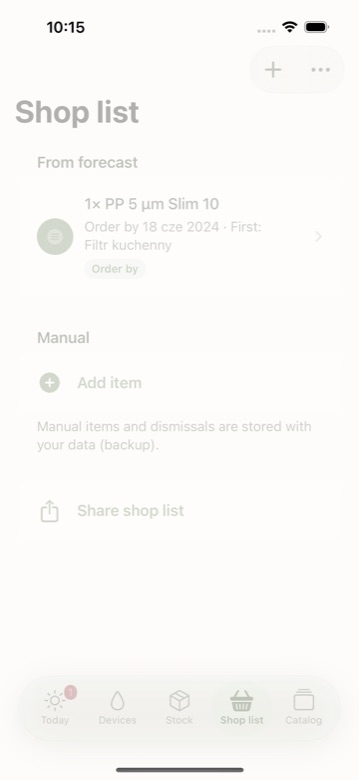
Use case — spring irrigation: In the Feb–Mar window, pre-season irrigation SKUs can appear so mesh/disc and fittings are ordered before the season — not mid-drought.
8. QR & scan
- On a stage, generate housing QR and share/print the PDF sticker.
- Stick it on the housing (or mock for testing).
- Scan QR (or Code 128) offline — deep link
windyfarm-water://…opens the same stage. - After export → import, the same UUID still resolves.
Free generates QR stickers; scanning accepts QR and Code 128.
9. Sites, language, backup
- Sites — unlimited Free locations (Dom / Pole).
- Language — Settings → Polski: editors, enum pickers, dates, Guides refresh without restart.
- Export / import — JSON backup (photos embedded). Prefer Files / iCloud Drive for Free sync across devices.
- Airplane mode — Today, replace, scan, and export work offline.
10. Home Screen widget
The optional widget reads a snapshot via App Group group.pl.windyfarm.WaterFilters. Enable the group on both App IDs in Apple Developer, then verify on a physical device (Simulator can lie). After Today changes, the widget should refresh.
11. Free vs Pro
- Free: full logistics wedge — map, FIFO, shop, QR, Sites, local notifications, backup.
- Pro (later): iCloud sync, service PDF, shop EAN. Soft teasers in Settings until StoreKit.
Details: product page FAQ and in-app Settings honesty copy.
12. Troubleshooting
- Today is empty but a stage feels overdue
- Check installed date and policy months; backdate installed_at to verify the queue.
- Scan does nothing
- Camera permission; payload must be a Water Filters deep link UUID still in the store (re-import backup if needed).
- Widget blank
- App Group not enabled on device App IDs, or snapshot never written — open Today once after fixing signing.
- System blue chrome
- Should not appear; report a screenshot — UI contract tests guard against it.
Support: Product page · robert.bala@windyfarm.pl · Privacy

Comments