

Bill Capture is a private archive for receipts, invoices and bills on your iPhone. Scan a document, the app reads the key fields on device, and you can find it again in seconds when you need it.
No account, no sign-in. Your documents stay on your phone. Polski · Privacy Policy

Available on the App Store in Poland (Bill Capture).
Scan & read
Bill Capture works on its own. You do not need an account, a Mac or any other app.
- Document scanner, camera, photo library or PDF import
- On-device OCR: vendor, amount, document number and due dates
- Share PDFs from Mail or Files straight into the archive
- Multi-page documents
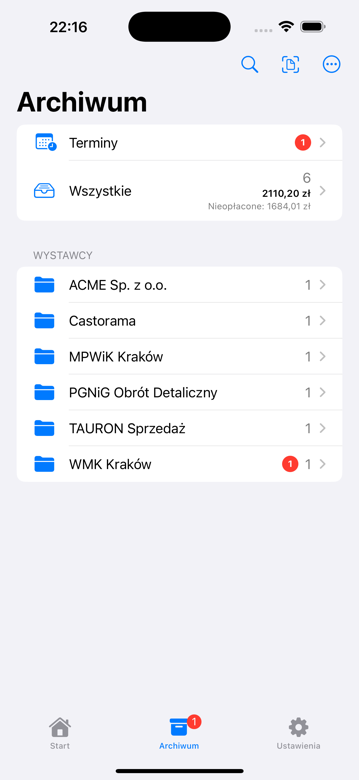
A searchable archive
- Search and tags
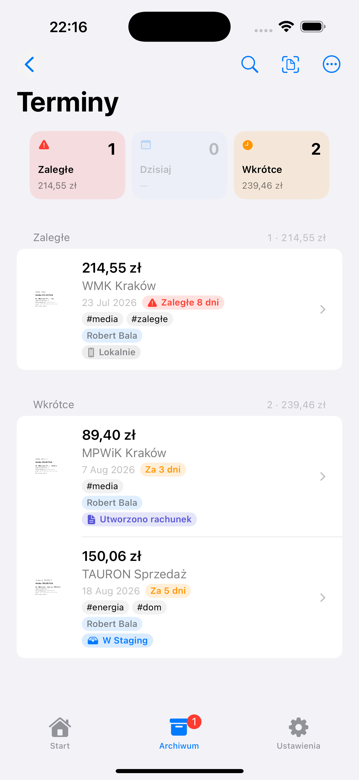
- Unpaid filter and due-date view
- Optional Calendar reminders and local notifications
- Export and restore metadata (JSON) in Settings
- Optional Face ID lock
Polish documents
- Receipts, invoices and utility bills (electricity, water, gas)
- KSeF label recognition
Utility meters (optional pack)
The meters pack is off by default and free to turn on. Enable it in Settings when you want to log readings and track electricity, water or gas usage. Turning the pack off keeps your readings.
Privacy
- No account, no sign-in
- Scans are not stored on our servers
- OCR runs on your iPhone and the archive works offline
Requirements
| Feature | Requirement |
|---|---|
| Scan, OCR and archive | iPhone, iOS 17+ |
| Meters pack | iPhone, iOS 17+ (turned on in Settings) |
| Capture Link | optional: the private FinanceFlow app on a Mac and the same Wi‑Fi network |
Optional: Capture Link
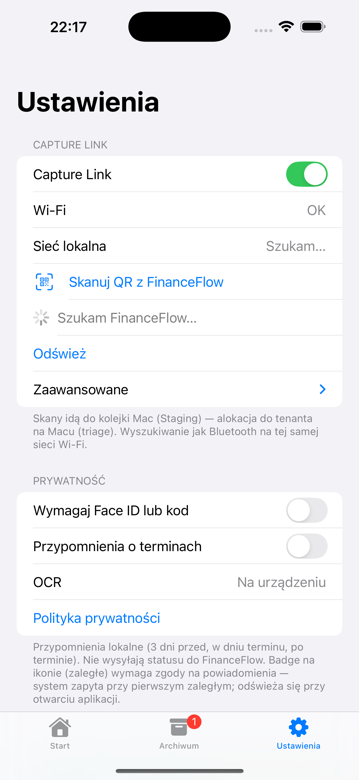
If you use the private FinanceFlow app on a Mac, you can pair once over Wi‑Fi (QR code) and send PDFs to the Mac intake queue. FinanceFlow is not publicly available. Capture Link is not required to scan, OCR or archive.
- On the Mac, in FinanceFlow: show the pairing QR code
- On iPhone: Settings → Capture Link → scan the code
- On a document, choose Send to FinanceFlow
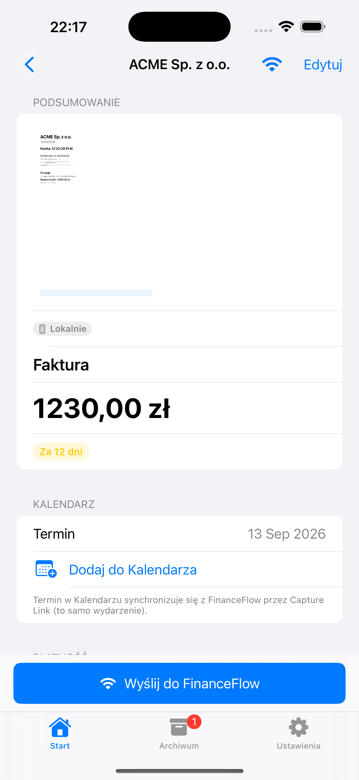
The document travels over your local network straight to your Mac. WindyFarm does not relay it.
Get Bill Capture
Support
App questions: hello@windyfarm.pl
Privacy: tech@windyfarm.pl